Additional Website Binding Changes
If you want to access the S5 API from a machine on the internal network other than localhost, you need to modify/add the website bindings in IIS > enter the address of the machine that will access the S5 API in the IP address field (or leave it blank) and leave the Host name field blank.
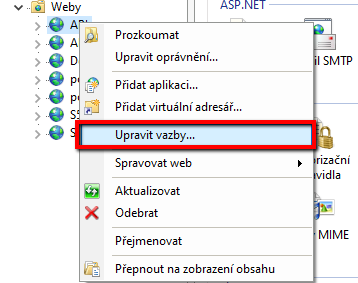
A standard installation creates bindings on the required ports with the host value set to localhost. You can then modify or add bindings as needed. For Money Portal or more general functionality, it is preferable to leave the Host name field blank/unfilled.
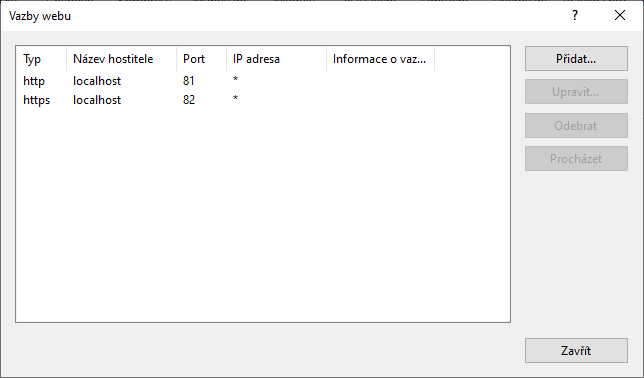
You also need to check your firewall settings to make sure incoming communication through the port is allowed:

Application Startup Mode
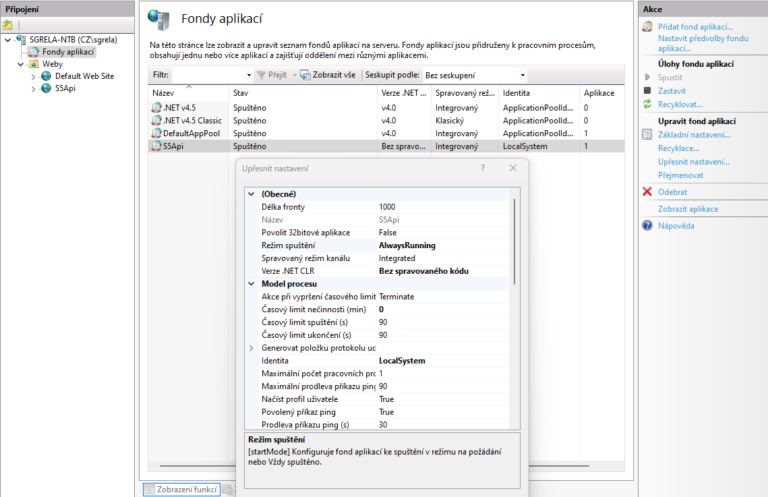
After installation, the service is configured by default with the Startup Mode set to AlwaysRunning and the Idle Time-out (minutes): 0.
API Request Length
The default IIS settings are sufficient for most API operations. In some cases, however, you need to send longer requests, such as documents with 200 items or requests with a very complex filter. In these cases, the following error message may appear: "The page was not displayed because the request entity is too large.".
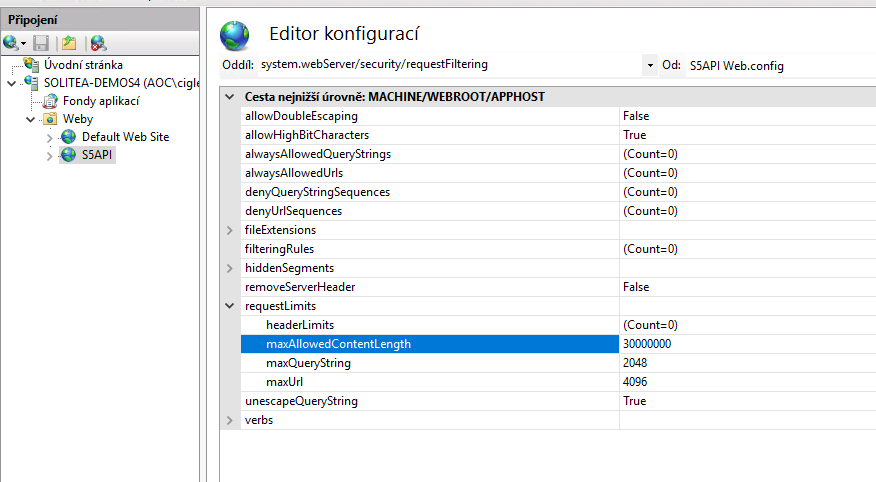
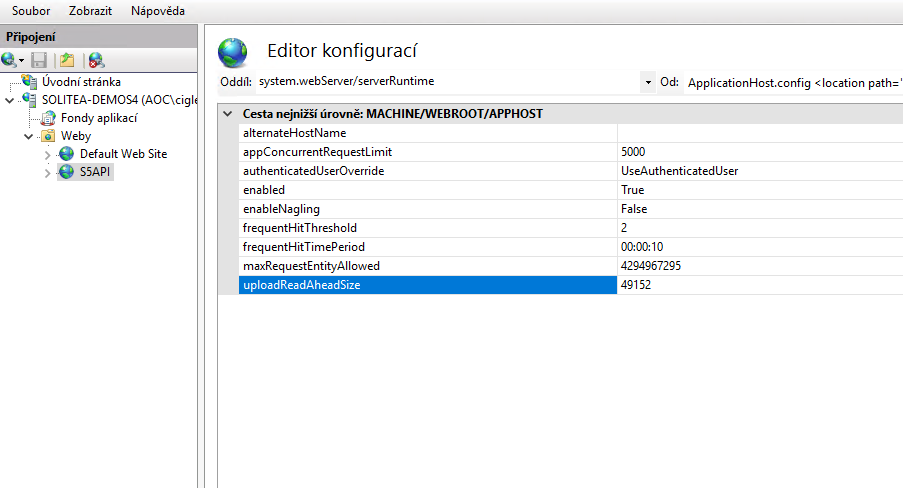
In these cases, you need to modify the default IIS configuration and increase the values of the properties:
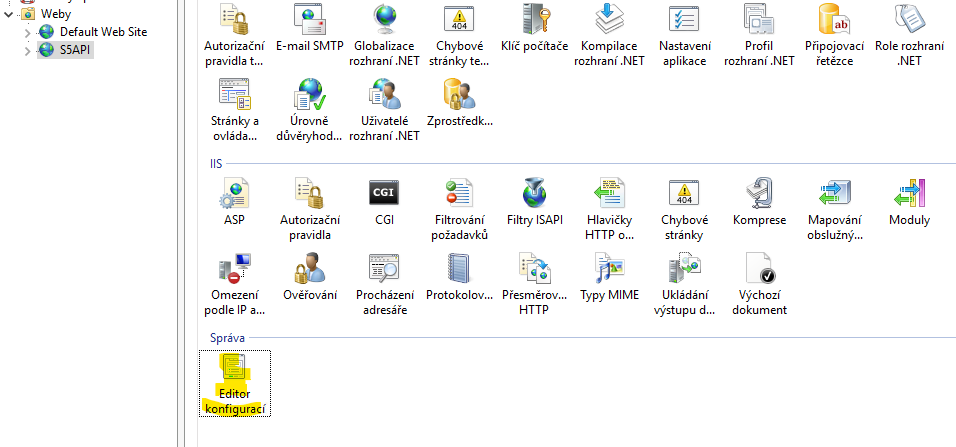
server -> Configuration Editor -> (Section) system.webServer -> security -> requestFiltering -> maxAllowedContentLength (max 334217728)
or
server -> Configuration Editor -> (Section) system.webServer/serverRuntime -> uploadReadAheadSize